Adin's Tarkov Tracker
Track your hideout upgrades, tasks, inventory, and explore maps with auto-generated task pins - all in one place.
Task Tracker
- Browse all tasks organized by trader
- Tasks organized by trader and level
- Filter by completion status, map, and Kappa/Lightkeeper requirements
- Filter by player level
- See Kappa/Lightkeeper progress at a glance
- Bulk mark tasks as complete based on which tasks you are currently on
- View task details, requirements, and progress
- Quickly jump to the wiki page for any task
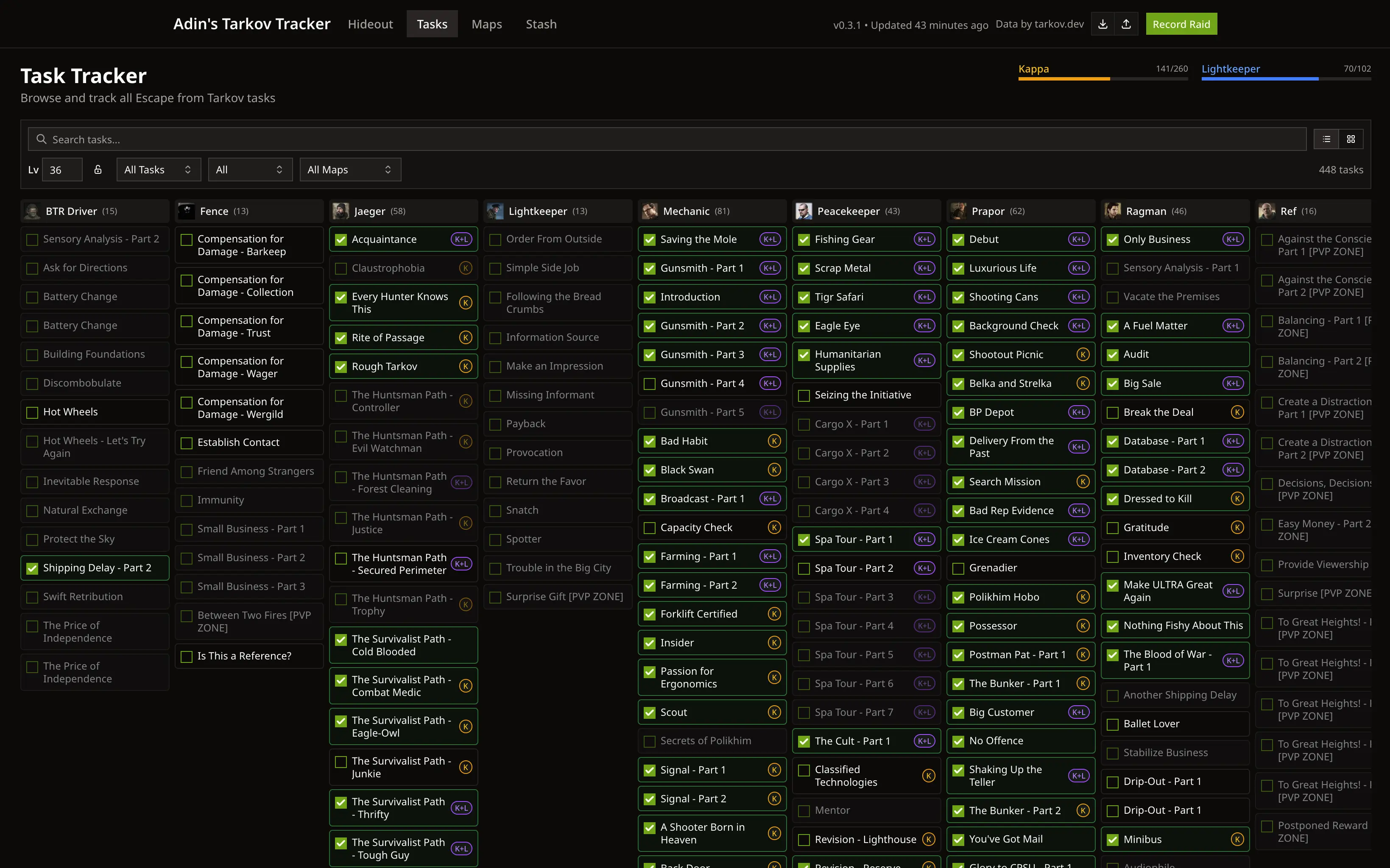
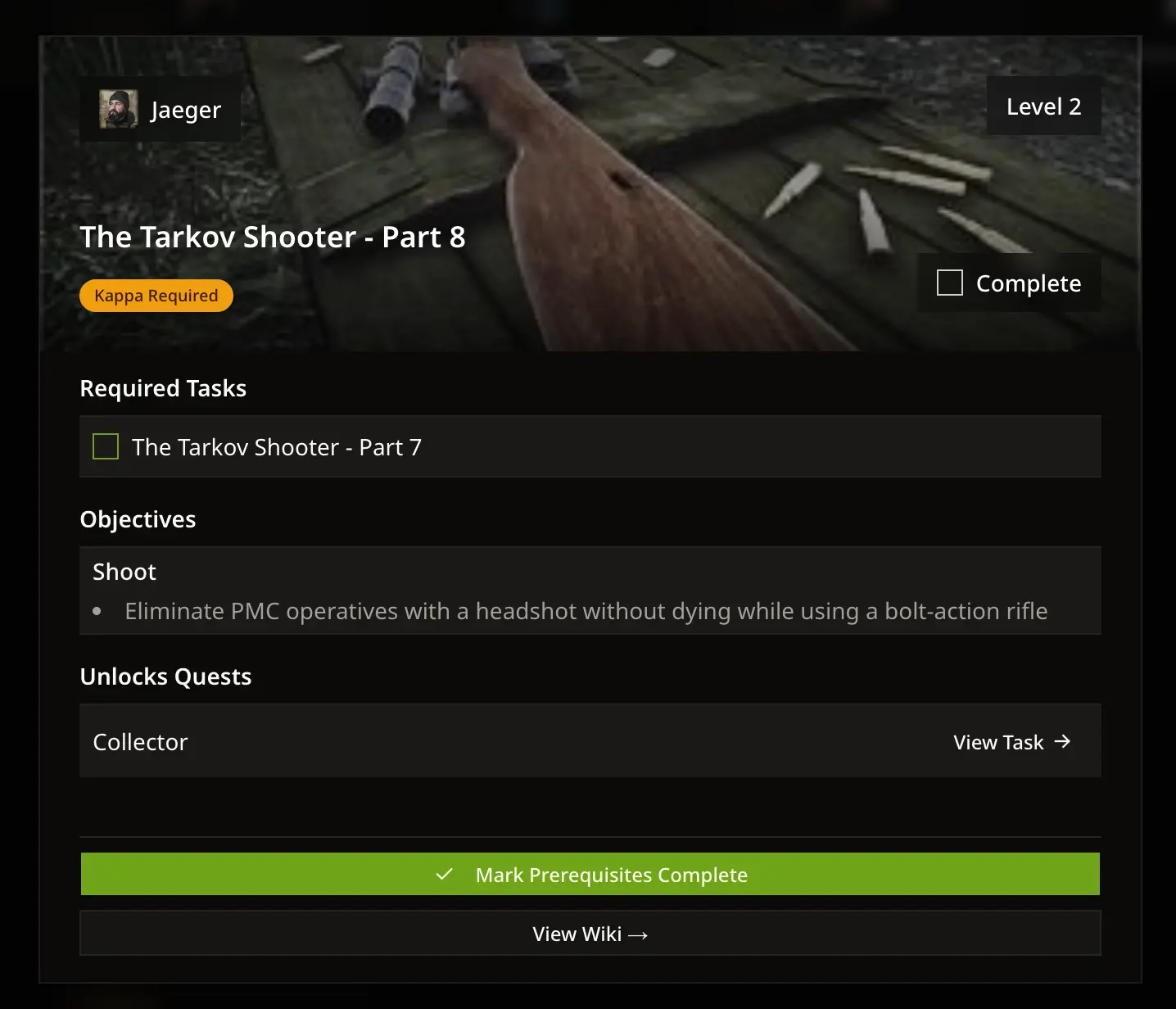
You can view task details, requirements, and mark your progress. Tasks are organized by trader and level.
Hideout Upgrades
Upgrade Focus
- Select specific upgrades you're working on and get a shopping list of exactly what you need
- See a summary of all items needed across your selected upgrades
- Click the purchase button to auto level your station and remove the items from your inventory
- Quickly see how close you are to finishing your upgrades
- Filter upgrades to quickly see what you want to focus on
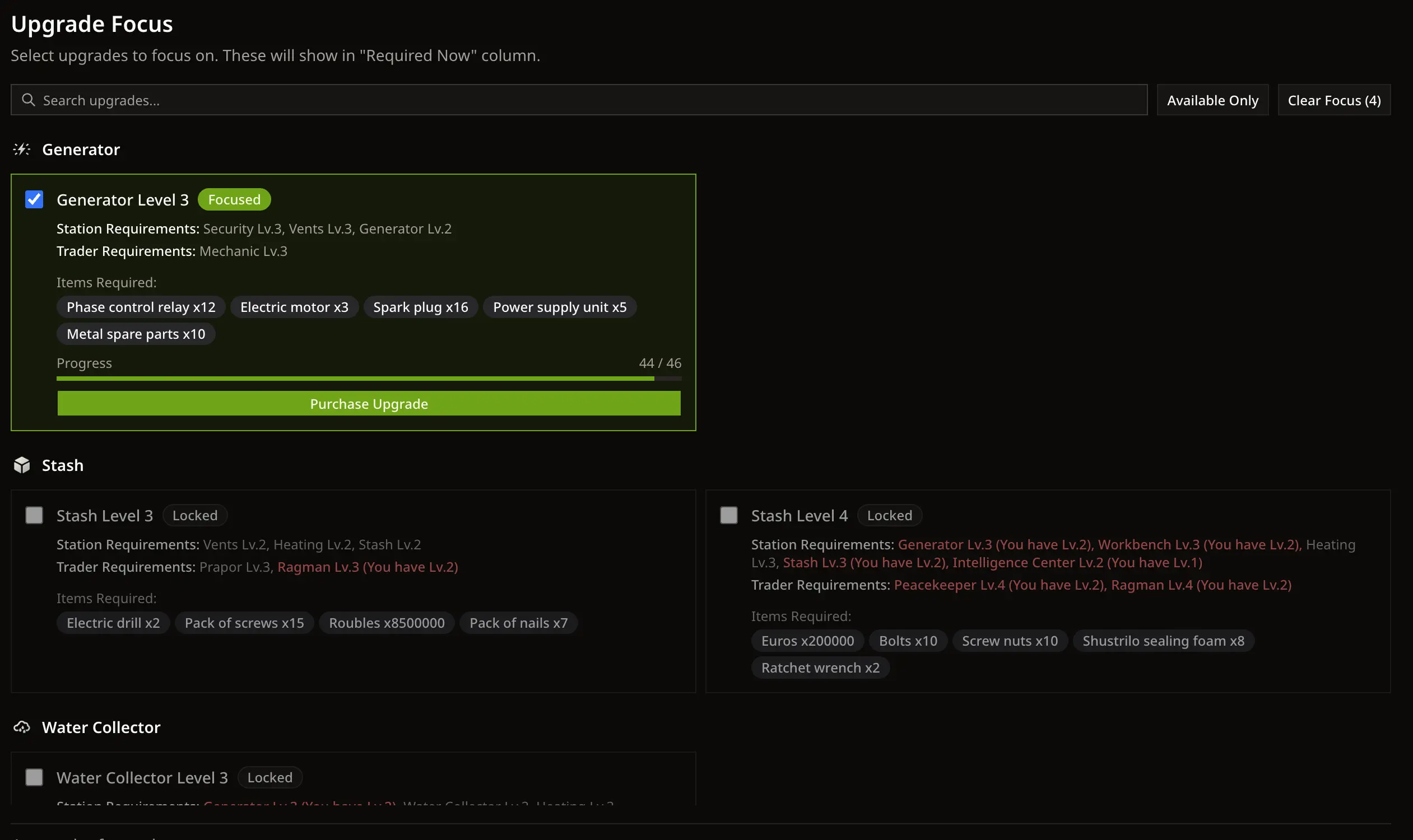
Select specific upgrades you're working on and get a shopping list of exactly what you need.
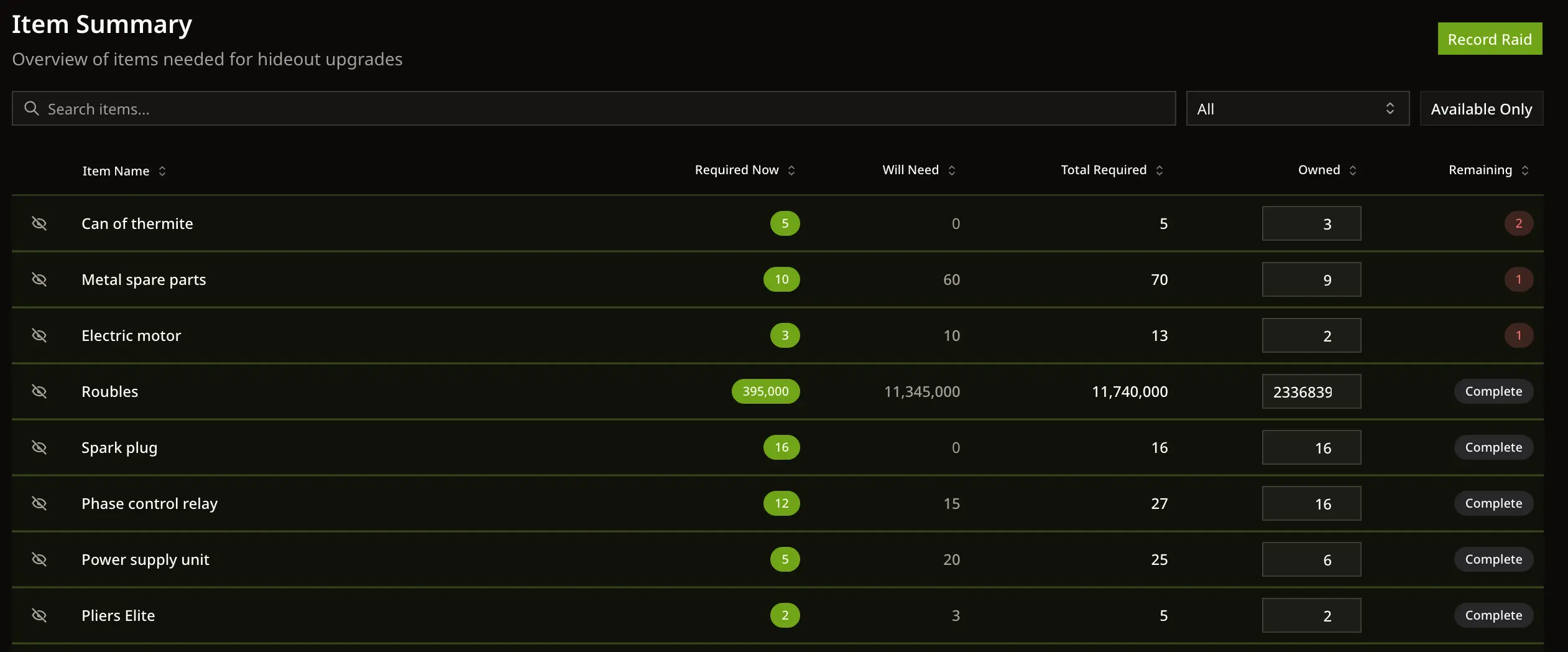
The summary shows how many of each item you need, what you have, and what's still missing.
Item Summary
- See a summary of all items needed across your selected upgrades
- Focused upgrades are listed first, followed by future upgrades
- Quantities are calculated based on your current inventory
- The summary shows how many of each item you need right now, what you have, and what you will need in the future
- Click on item names to see which hideout upgrades require them
Inventory Tracking
Inventory Management
- Keep track of items in your stash that are needed for tasks and hideout upgrades
- Add items manually or record them after raids
- Your inventory syncs with hideout upgrades and tasks to show what you still need
- Track currencies (Roubles, Dollars, Euros) separately for easy reference
- Quick-add items to your inventory without opening the full raid dialog
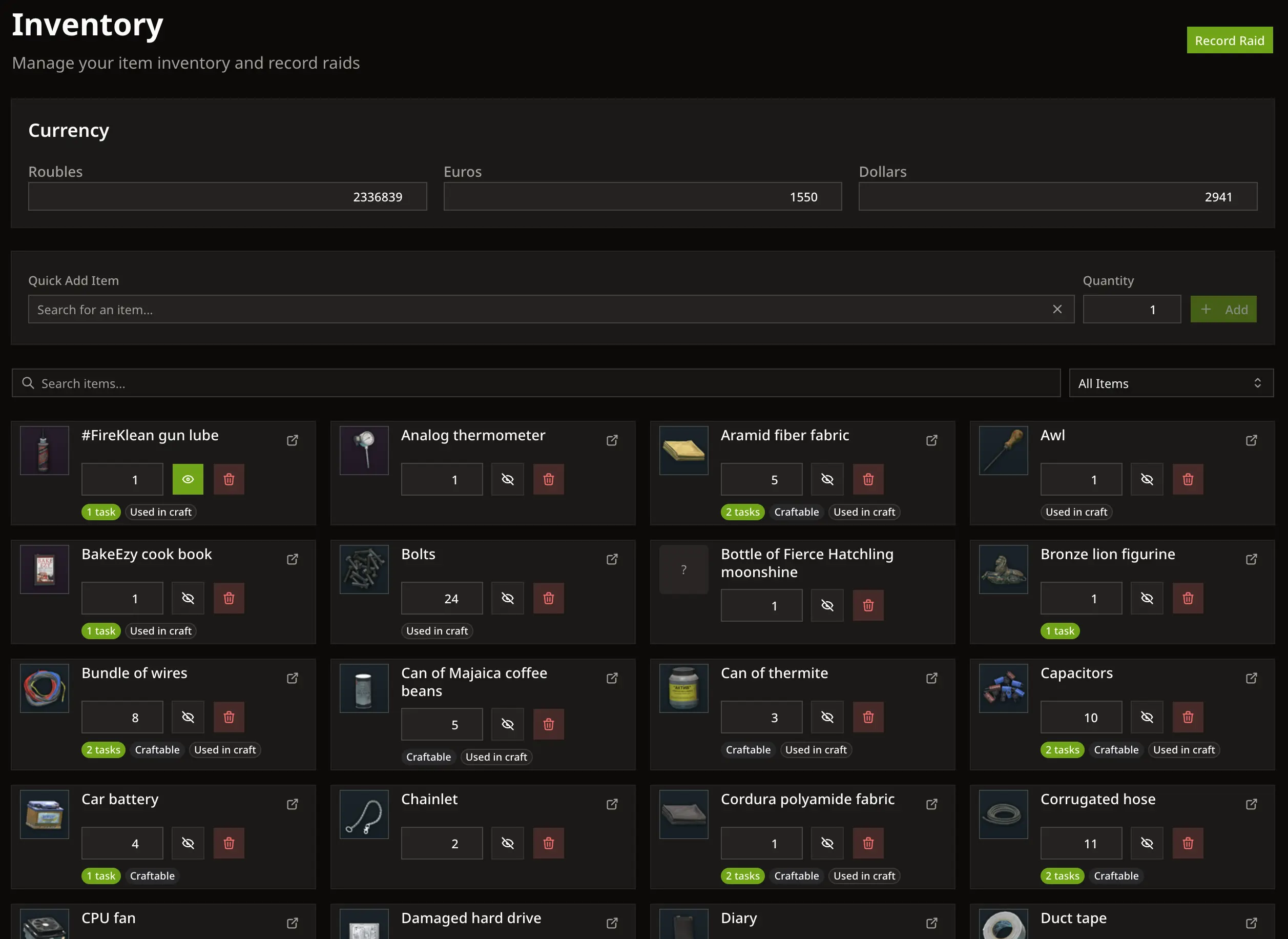
Keep track of items in your stash that are needed for tasks and hideout upgrades
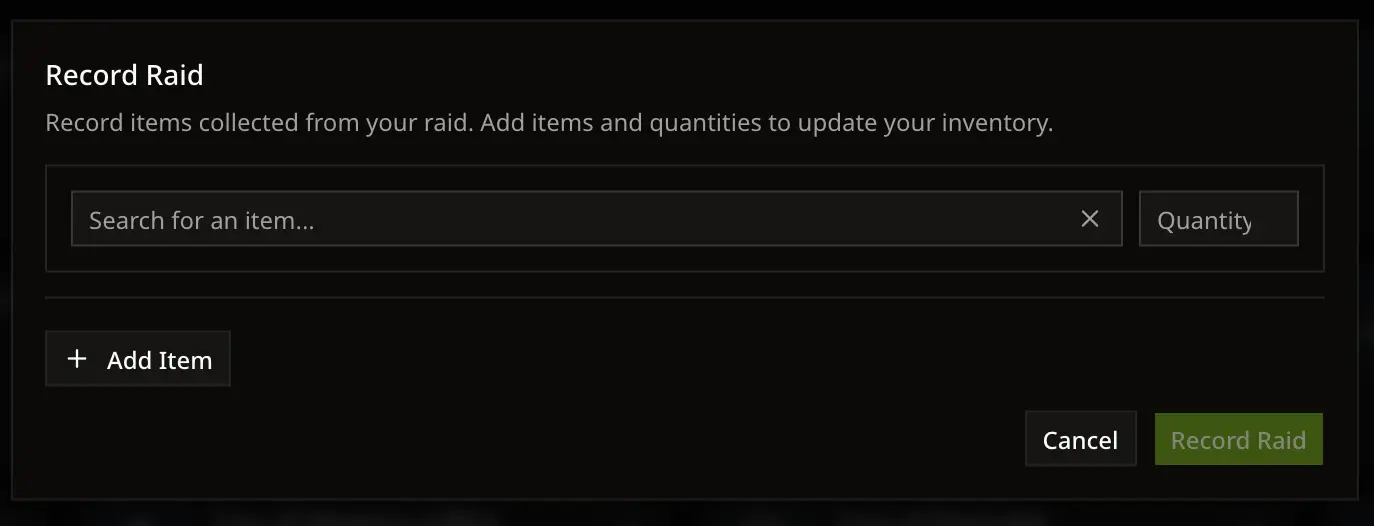
Quickly add items from your raid to keep your inventory up to date.
Record Raids
- After each raid, record what items you found. This updates your inventory automatically
Interactive Maps
Map Overview
- Browse all Tarkov maps from a clean grid view
- Click any map to see all tasks and objectives for that location
- Works great on iPad and touch devices with smooth pinch-zoom and pan
- See at a glance how many active tasks you have on each map
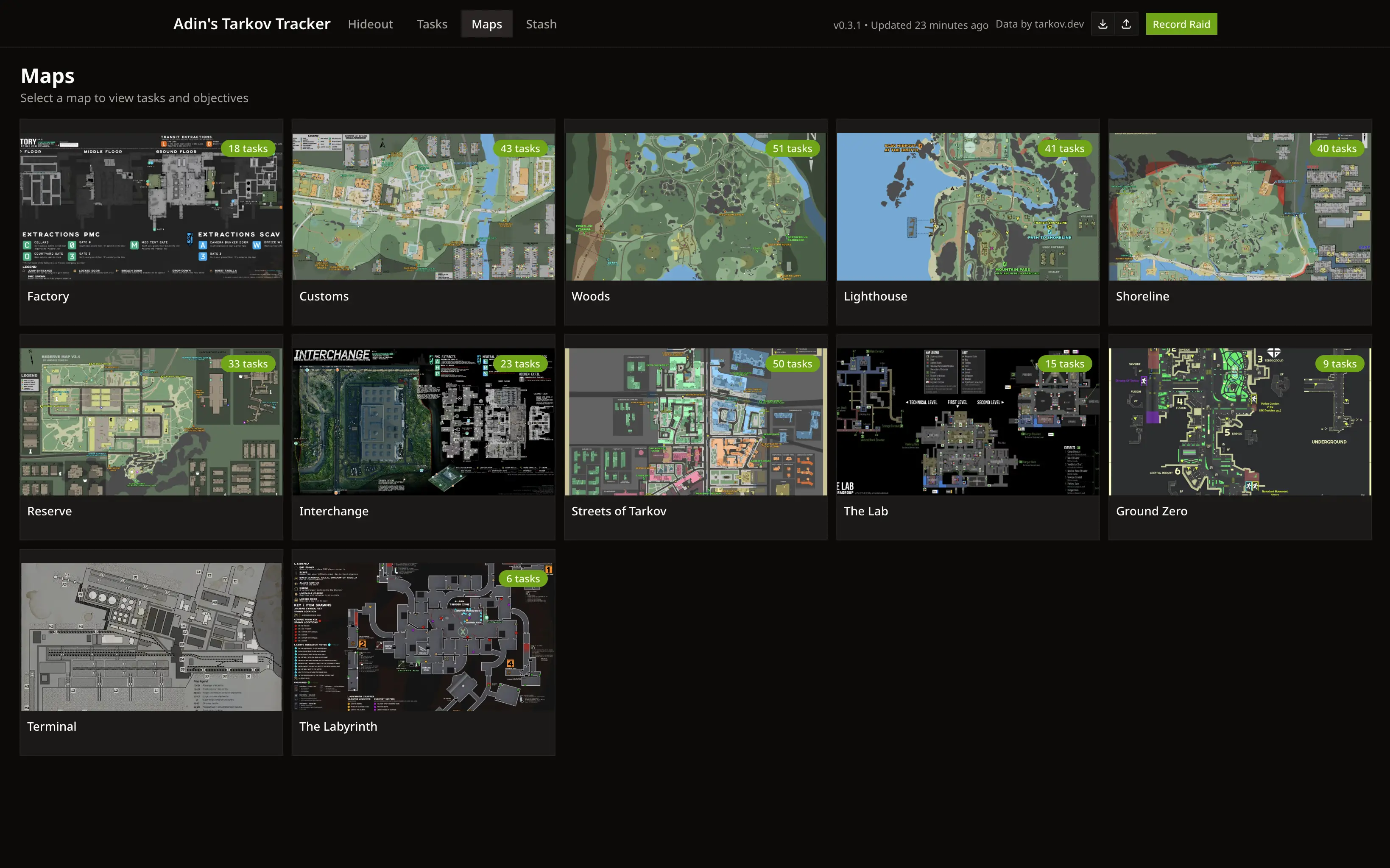
Browse all maps from a unified grid view and dive into any map to see your tasks.
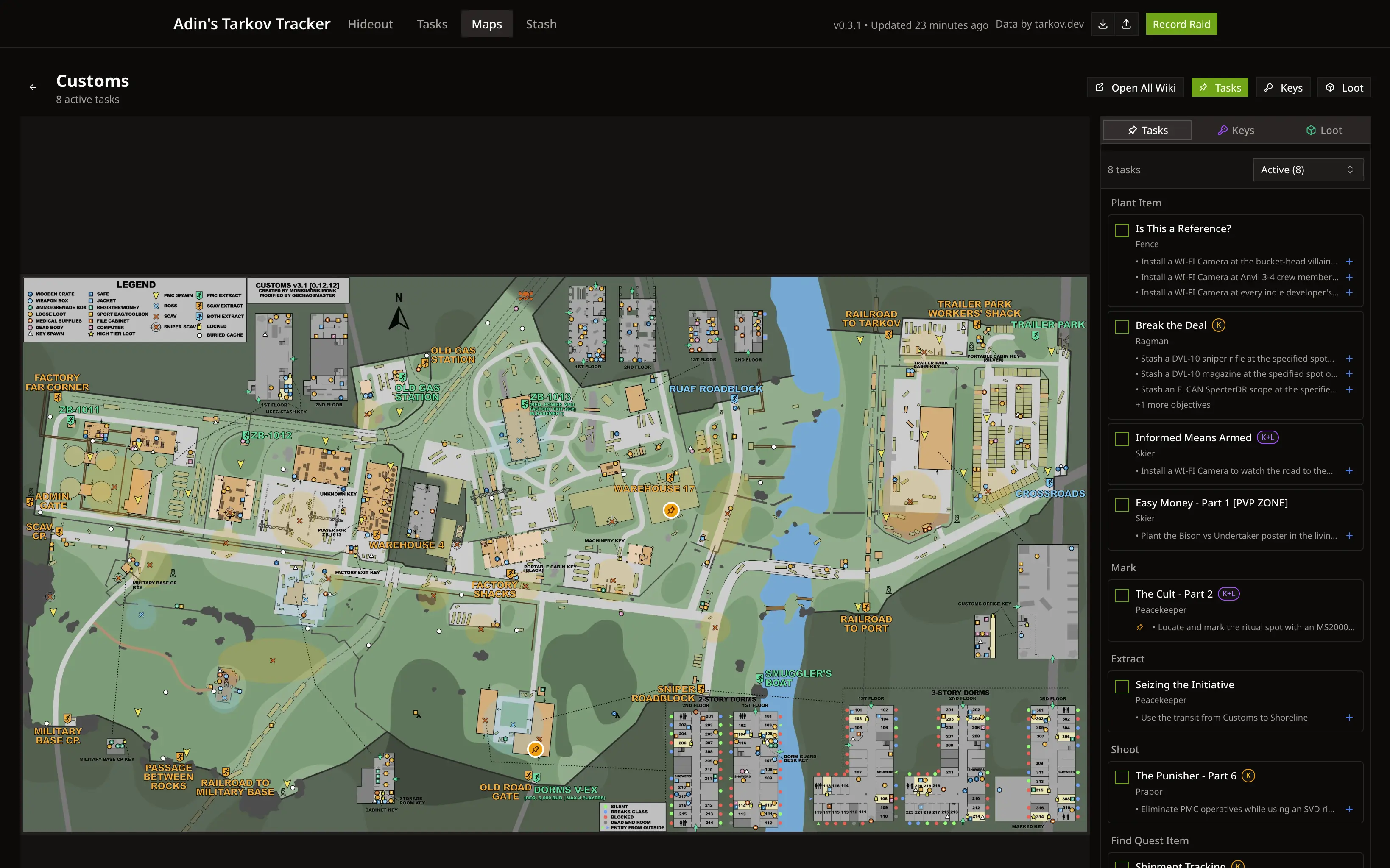
Auto-generated pins show exactly where you need to go for each task objective.
Auto-Generated Task Pins
- Pins are automatically placed on the map based on task objective data
- Task sidebar shows all objectives with pin indicators for ones on the map
- Filter tasks by status: Active, Locked, Completed, or All
- Hover over pins to see task details and objective information
- Drag pins to fine-tune positions if they're slightly off
- Open All Wiki button to open wiki pages for all active tasks at once
Keys & Loot Information
- Tabbed sidebar with Tasks, Keys, and Loot sections for each map
- Keys tab shows all keys used on the map with flea market prices
- Keys needed for task objectives are highlighted so you know which to prioritize
- Loot tab shows all loose loot spawns with item images and prices
- Items needed for your focused hideout upgrades are highlighted
- Search through loot items to find what you're looking for

See all keys and loot for each map with prices and smart highlighting for items you need.
Other things
- This app requires no login and is completely free to use
- All data is stored locally to your browser and is not shared with anyone
- You can export your data as a yaml file and import it later if you want to move to a different browser or device
Why I made this
Yes, this app is mostly vibe coded. I've been working as a programmer for over 10 years and I try to keep my free time away from programming as much as possible these days. However, in this particular case most of the online trackers I found didn't have the functionality I was looking for, or their UI over designed and hard to use. I'm not a designer and honestly I just want to play the game so I vibe coded the majority of this app to fit my needs. If that's not your jam, totally understand and hope you find something else that works for you.
I want to keep this app simple to use, focus on what is actually helpful, make it as friendly as possible to all different device sizes, and free to use. Unless this app becomes popular and I need to pay for hosting costs, I will keep it ad free. Honestly, I really doubt it would ever get to that.
If you find this app useful, consider sharing it with your friends.
Big shoutout to tarkov.dev ❤️ for providing the data for this app for free. I legit wouldn't have been able to make this app so easily without them.